Paste the weekly export
The raw export goes into a tab called Raw Jobs, exactly as it comes out of the scheduling app. Real exports are messy: repeated rows, missing rates, blank hours, client names typed different ways, mixed date formats.
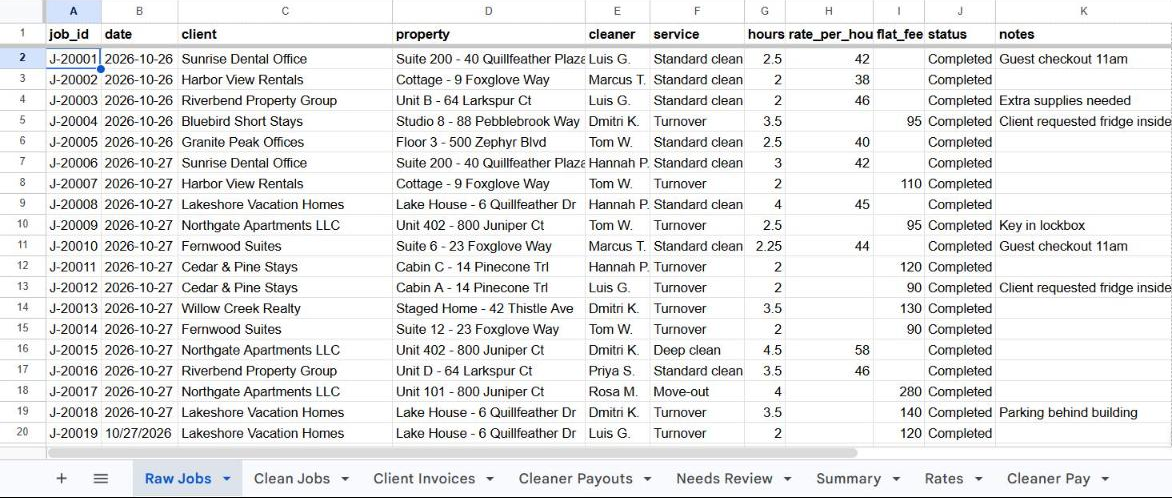
Click Billing → Run weekly billing
The script cleans the data, applies the company's price list and pay rules, and rebuilds the output tabs from scratch. Each client gets a weekly total, ready to copy into an invoice.
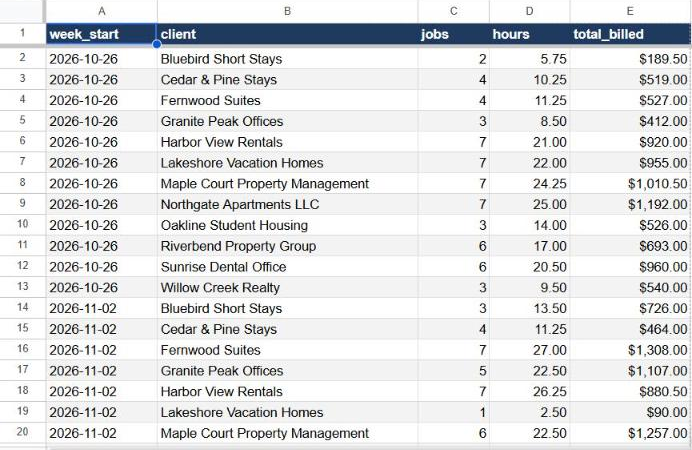
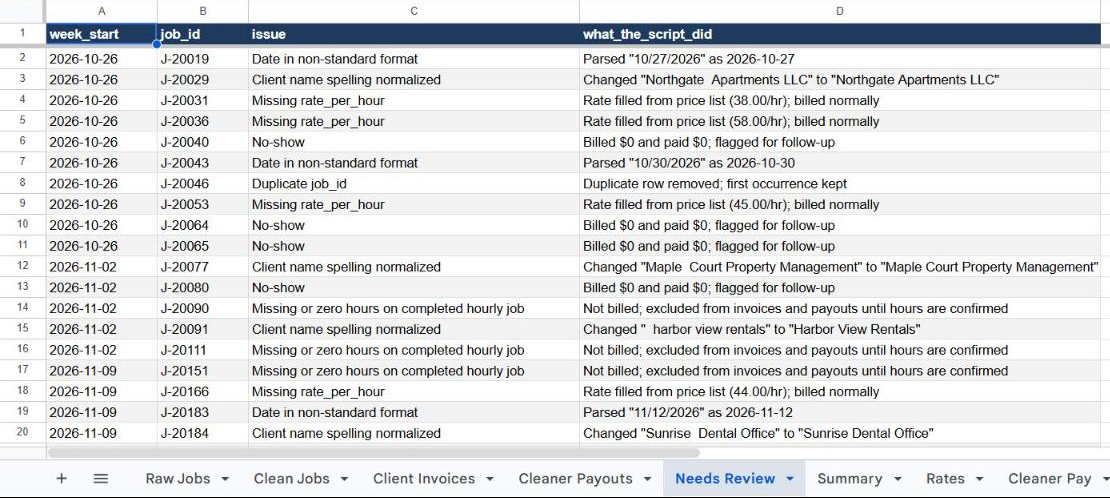
Check the short review list
Nothing is silently fixed. Every problem the script found is listed with what it did about it, so the office checks a handful of rows instead of all of them.
Read the weekly summary
Billed, paid out, gross margin and open issues per week. A summary also arrives by email, so the owner sees it without opening the sheet. It can run by itself every Monday at 7am.

What it catches
| Problem in the export | What the script does | In demo |
|---|---|---|
| Same job exported twice | Keeps the first, removes the copy | 4 |
| Hourly job with no rate | Uses the client's price list and says so | 5 |
| Completed job with blank or zero hours | Holds it back from billing and pay until confirmed | 5 |
| Client name spelled differently | Matches it to the price list name | 7 |
| Date in MM/DD/YYYY format | Reads it correctly | 5 |
| No-show | Bills and pays $0, flags for follow-up | 4 |
Checked to the cent
Every total in the sheet was compared with a separate calculation written in Python from the same rules. All four output tabs (client invoices, cleaner payouts, review list, weekly summary) match exactly.
Built to be safe
- The summary email only goes to the sheet owner.
- Running it twice gives the same result; output tabs are rebuilt, never appended to.
- The raw export and price lists are only read, never changed.
- No add-ons or paid tools: it lives inside the client's own Google account.
The weekly email
Under the hood
Google Apps Script on a normal Google Sheet: one menu, a few tabs, an optional weekly trigger. Billing rules live in plain tabs (Rates, Cleaner Pay), so the owner changes a price in the sheet, not in code.